A complete app redesign
BeMoreKinky 7.0
A faster, clearer BeMoreKinky for building habits, discovering what you want, talking it through, and organising play
BeMoreKinky began with two ideas: quizzes for couples and a deck of activities each person could rate privately. They helped answer one useful question: what do we both want?
We kept building from there. Plans, habits, Journal, guided practices, gear, games and private Chat followed. Eventually, the app had outgrown the shape it started with. Most of those tools were already in 6.2.
Version 7.0 changes how those tools fit together, rebuilds the main ways you reach them and adds several new couple experiences. Home, Partner and Play now sit around one clearer path: discover something, talk about it, make a plan and reflect afterwards. More drafts and progress stay in place when you leave halfway through. This work covered how the app looks and how its parts fit together.
Performance
The app is much faster
A large part of this rebuild went into speed.
In controlled release-build tests, Home's main content used 65–71% less wait time on an iOS simulator. Quiz Results used 94% less wait time on an iOS simulator and 89% less wait time on an Android emulator.
In a separate iOS simulator test, peak memory use while moving through a quiz was 34% lower.
Home · iOS simulator
65–71% less wait time
Main content, controlled release build
Quiz Results · iOS simulator
94% less wait time
Controlled release build
Quiz Results · Android emulator
89% less wait time
Controlled release build
Quiz memory · iOS simulator
34% lower peak memory
Separate simulator test while moving through a quiz
A rebuilt foundation
Home, Partner and Explore have been rebuilt
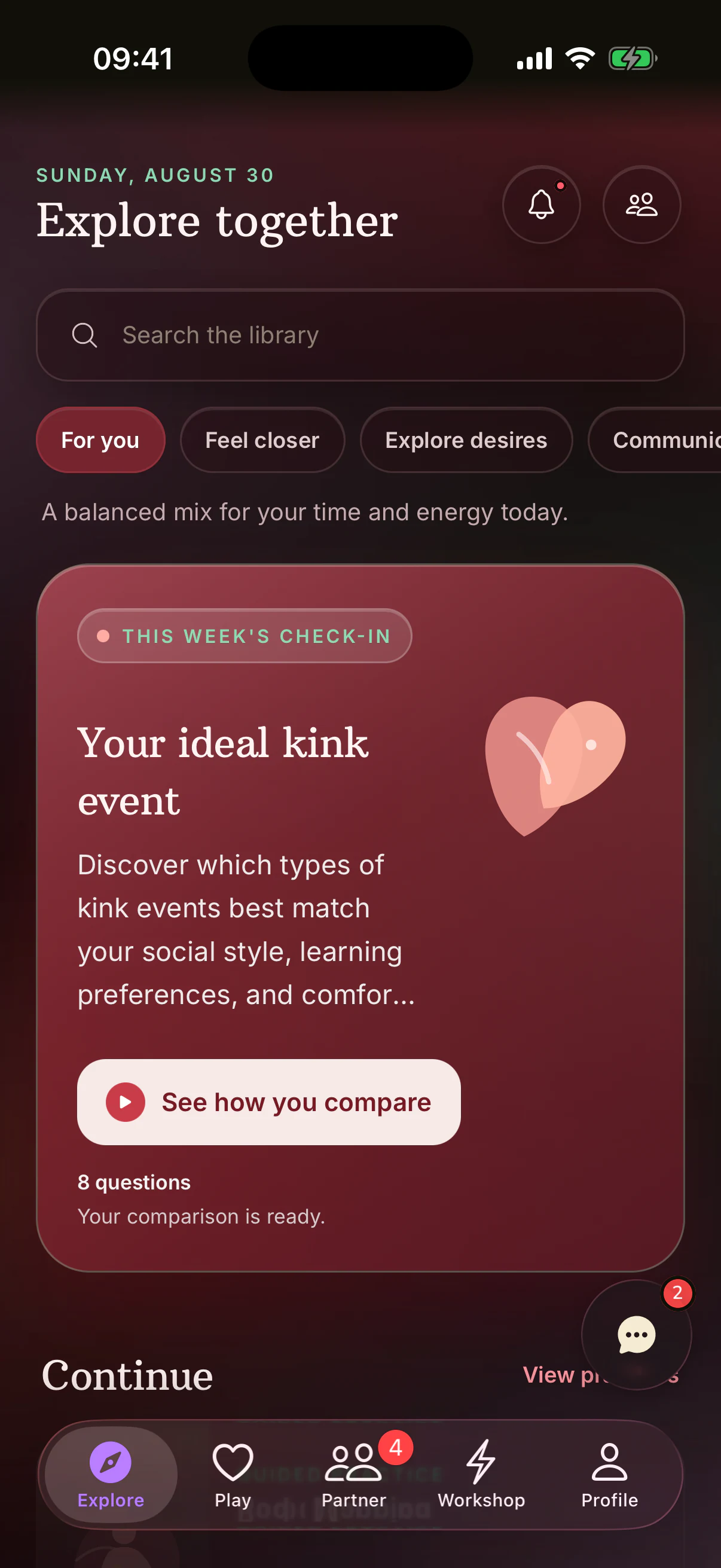
Home now has intent controls for Feel closer, Explore desires, Communicate, Play together and Build habits. Pick what feels useful today and the lead card changes without hiding the rest of Home. Continue can bring back an unfinished quiz, course or lesson, and the reflection and habit rows under it pick up where you left off.
The redesigned weekly check-in shows when yours is waiting for your partner and when comparison is ready. Guided reflections add a new place to begin from Home.
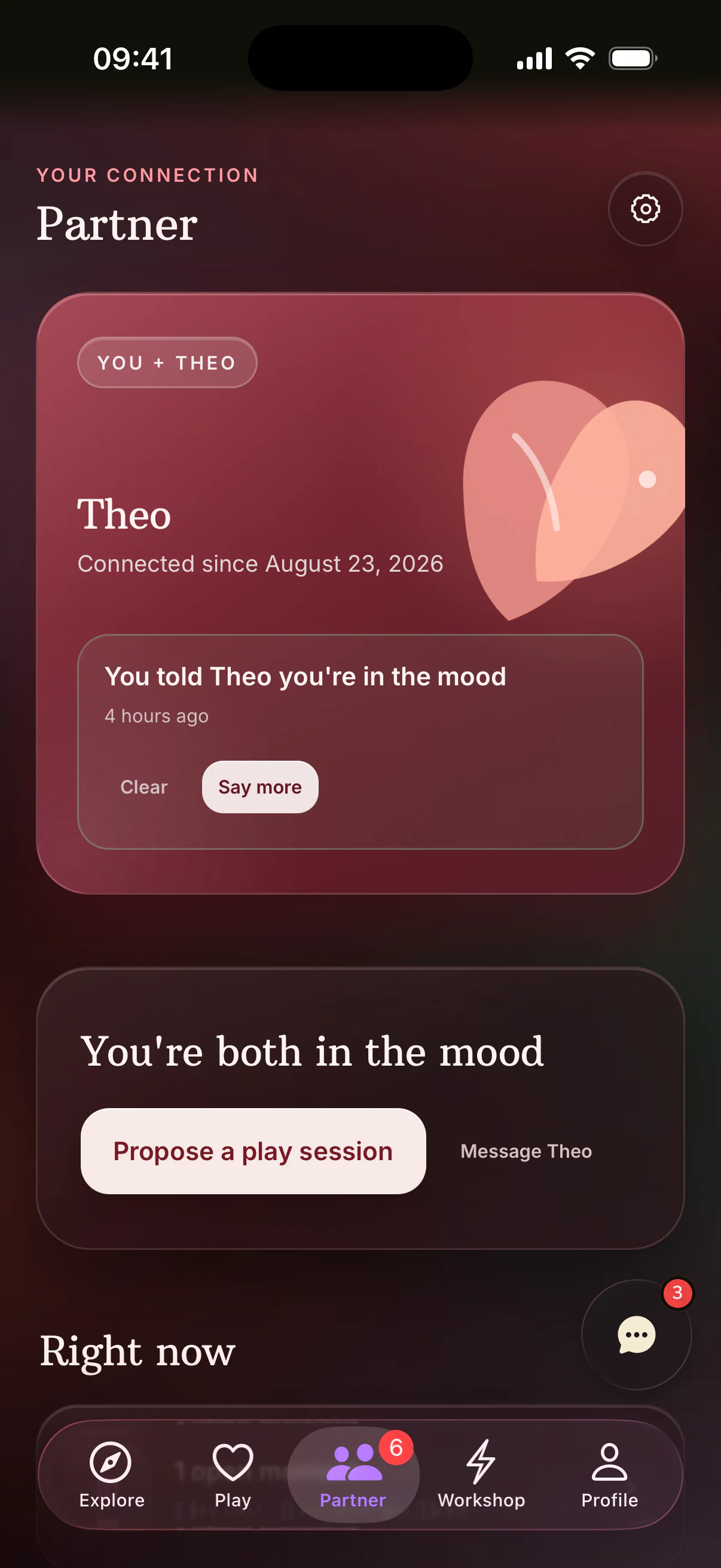
The Partner hub has also been redesigned. Plans and matches now sit beside three additions in 7.0: Signals, Couple Reports and Whose Turn.
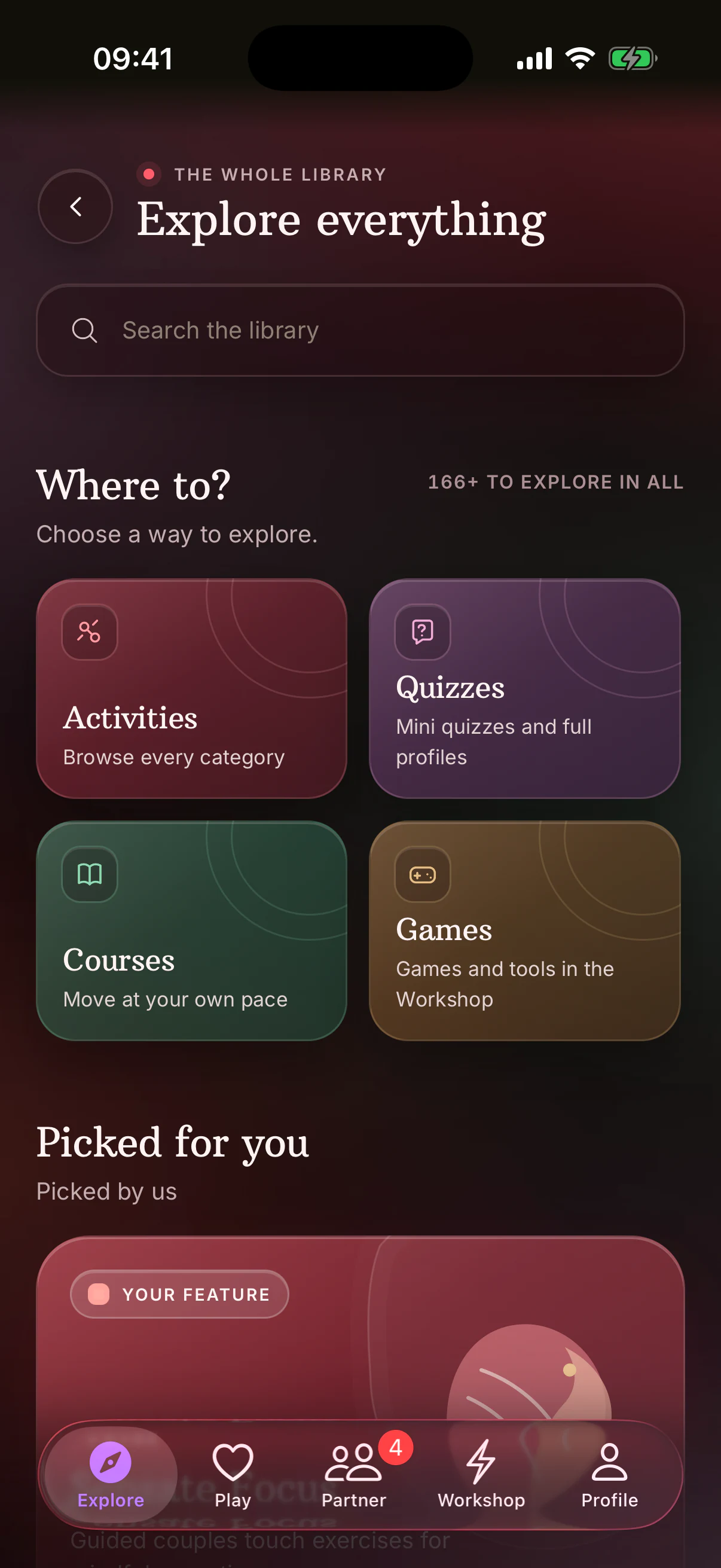
Explore and Workshop have been rebuilt as clearer libraries for the activities, quizzes, courses, games and tools that were already in BeMoreKinky. The new catalog search reaches activities, categories, quizzes, courses, articles, guided practices, Toy Box gear and games.
Start with what feels useful
- Feel closer
- Explore desires
- Communicate
- Play together
- Build habits
One clearer path
- Discover
- Talk
- Plan
- Reflect
Discover · Talk · Plan
From a match to a plan
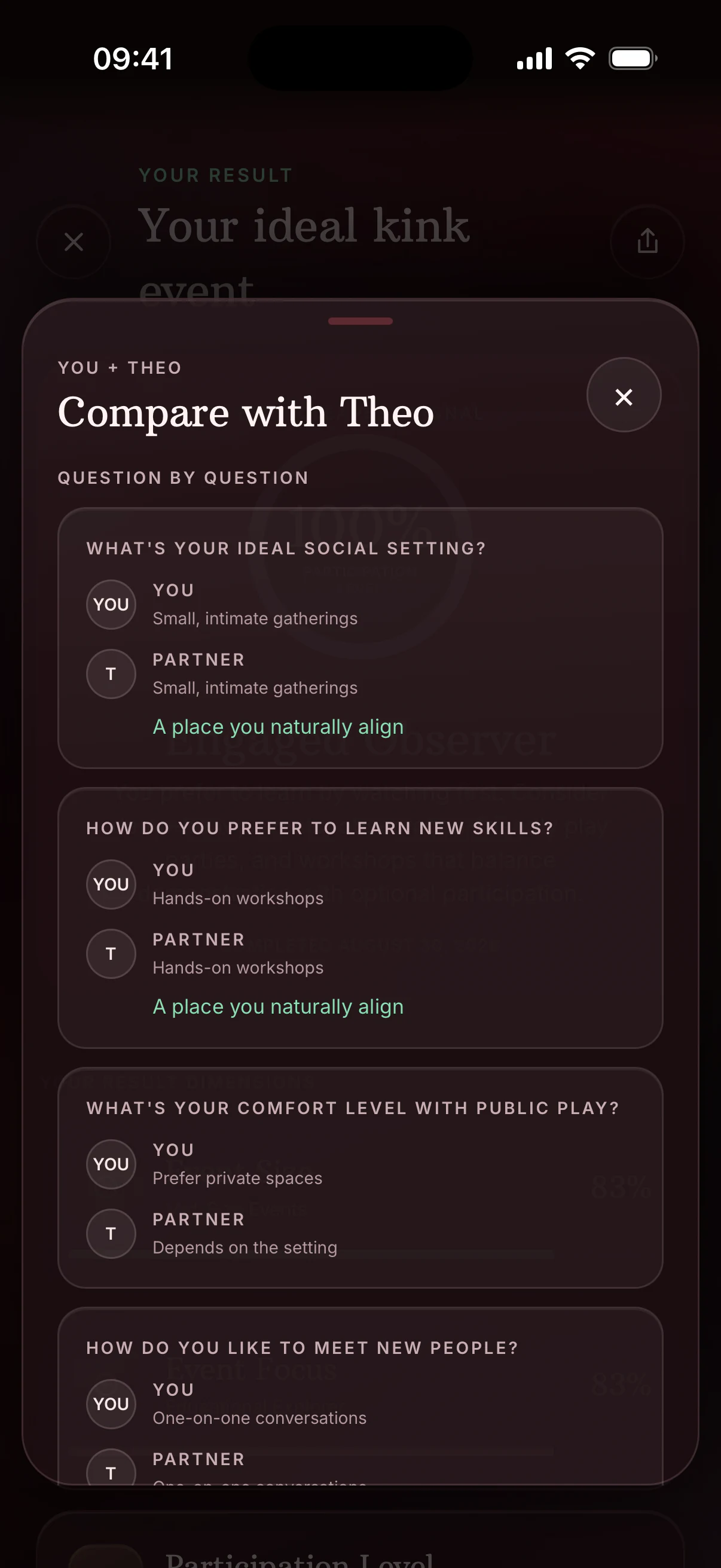
Quiz and activity-rating libraries, question flows and results have been redesigned. Full Profile results now present their existing sections, radar views and partner comparison more clearly.
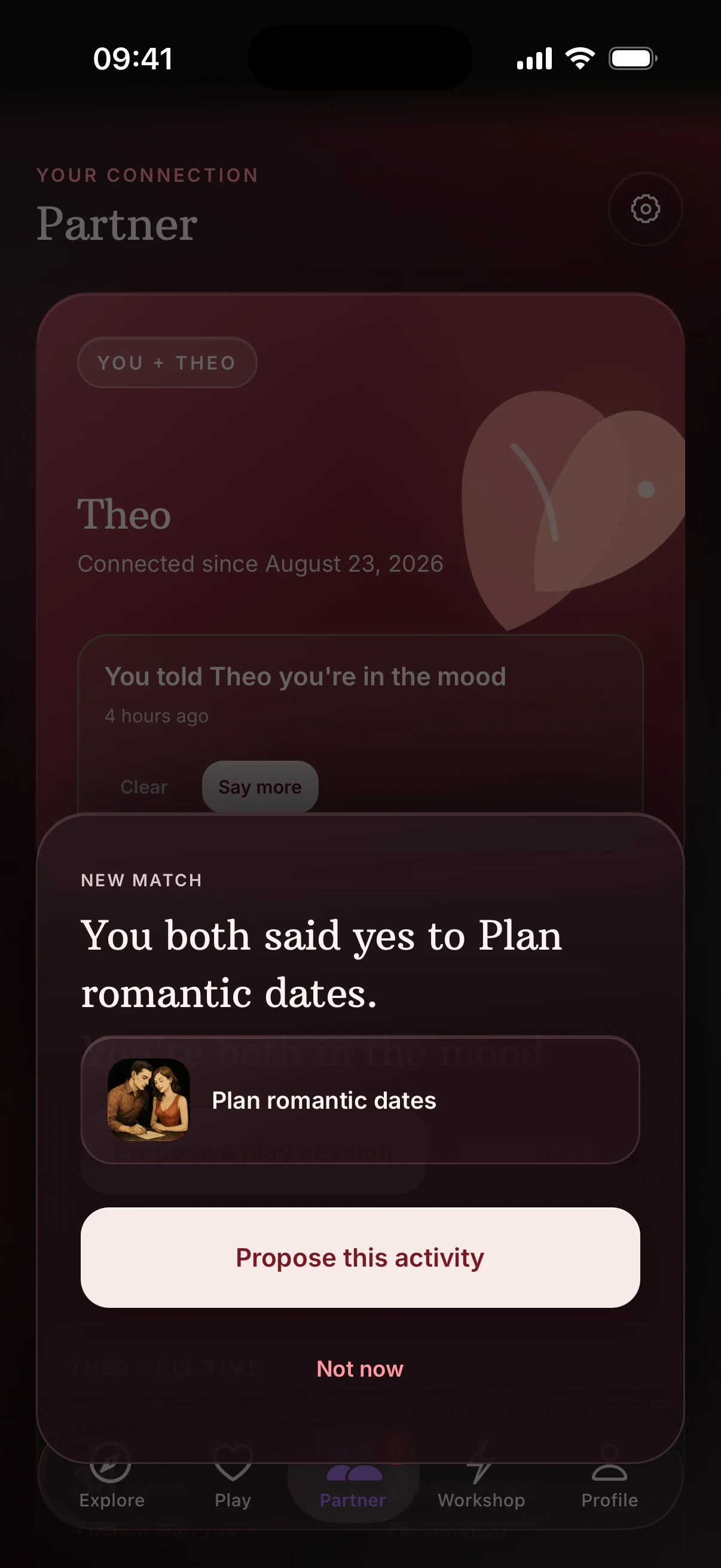
A new mutual-match reveal opens directly into the rebuilt proposal flow in Play. The activities, gear, date and note now sit in one review. Save a template to reuse a plan you like, and if you leave before sending, the app keeps what you had already chosen. Plan Detail and History make the current response and the relationship record easier to follow.
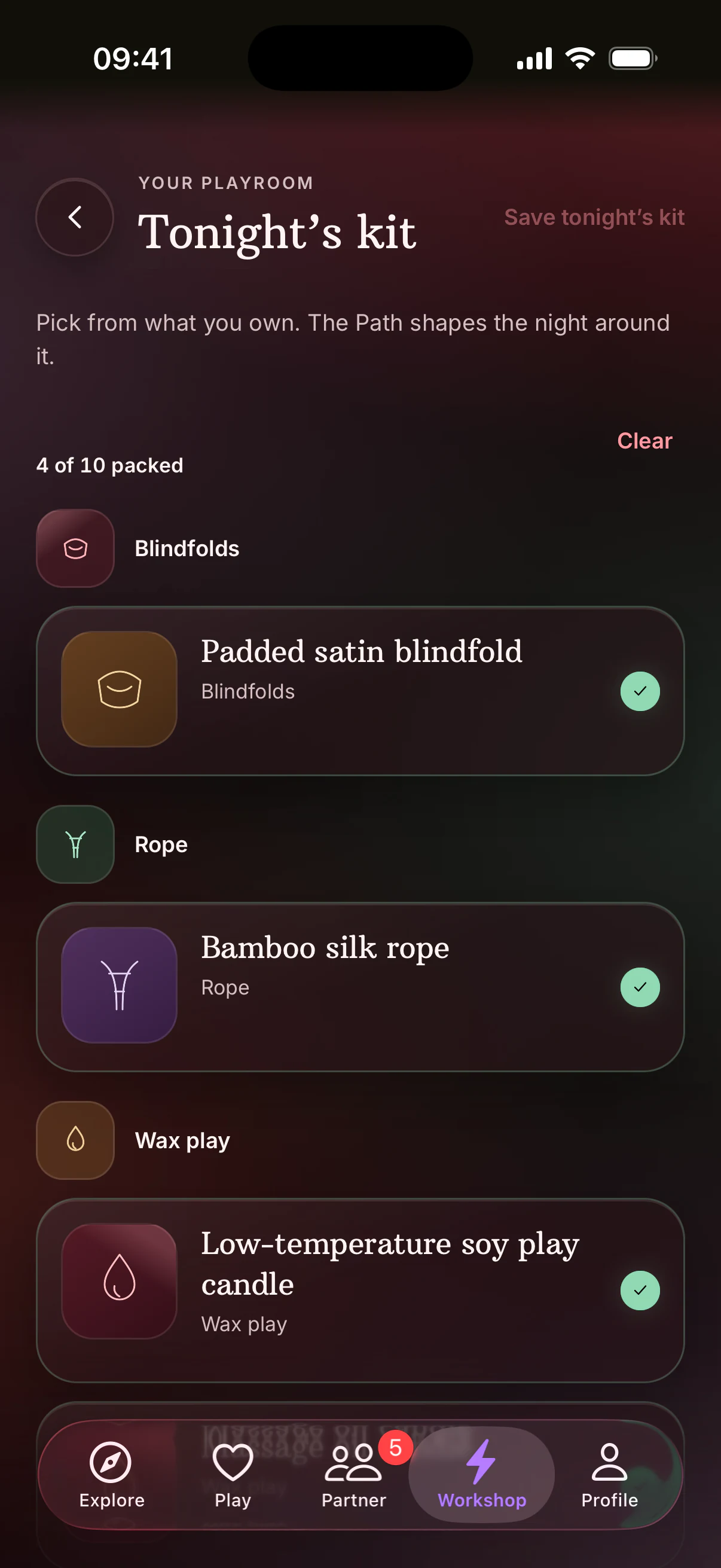
Toy Box now has a dedicated Tonight's Kit. Pack up to ten items for the night, use them in a proposal or carry them into The Path.
AI Scene Builder has a new guided design. Generation can finish after you leave the screen, and deleted saved scenes have Undo.
Activity Results now keeps an adaptive reflection inside the result flow, with a retained draft and a visible sharing choice.
Small ways to stay connected
Signals, Couple Reports and shared moments
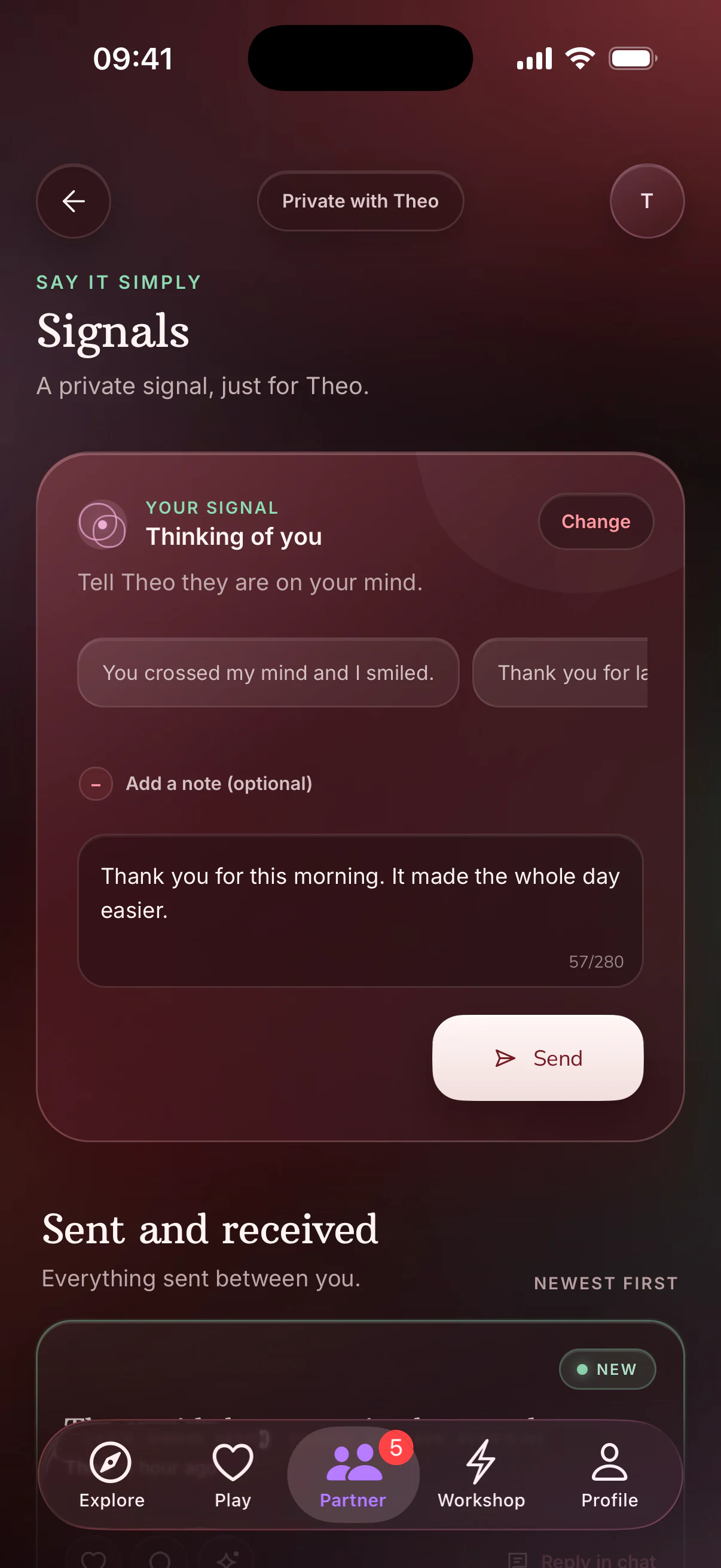
Signals is new in 7.0. Send your partner appreciation, apology, aftercare or desire, add a note if you want to and let them react without turning it into a long conversation.
In the Mood was already in BeMoreKinky. In 7.0 it has moved into Partner, where your partner can answer with "Me too" and the two of you can continue into Play.
Couple Reports are new weekly summaries of what you explored and completed together. They include only the Journal reflections shared with that partner.
New arrival cards give Signals and shared habit moments a visible place in Partner.
Return when you're ready
Journal, Habits and guided work have been rebuilt
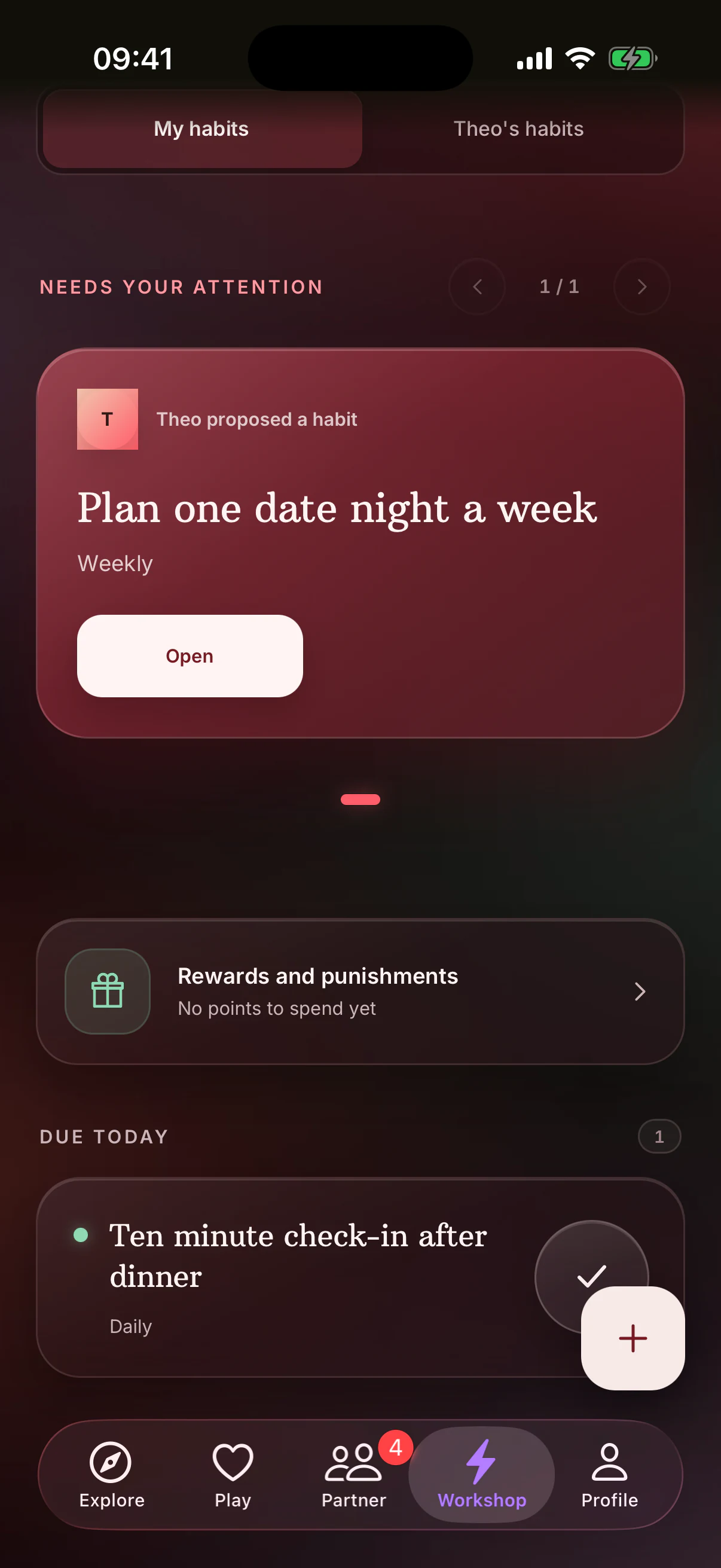
Habits has a redesigned dashboard, a redesigned four-step builder and a fuller partner-review screen. "Whose turn" shows the next action, and eligible completions now have a 30-second Undo.
Journal's existing mood, emotion, photo and sharing tools now sit inside a weekly reader. Guided reflections add a new place to begin, and unfinished drafts wait for you through a relaunch.
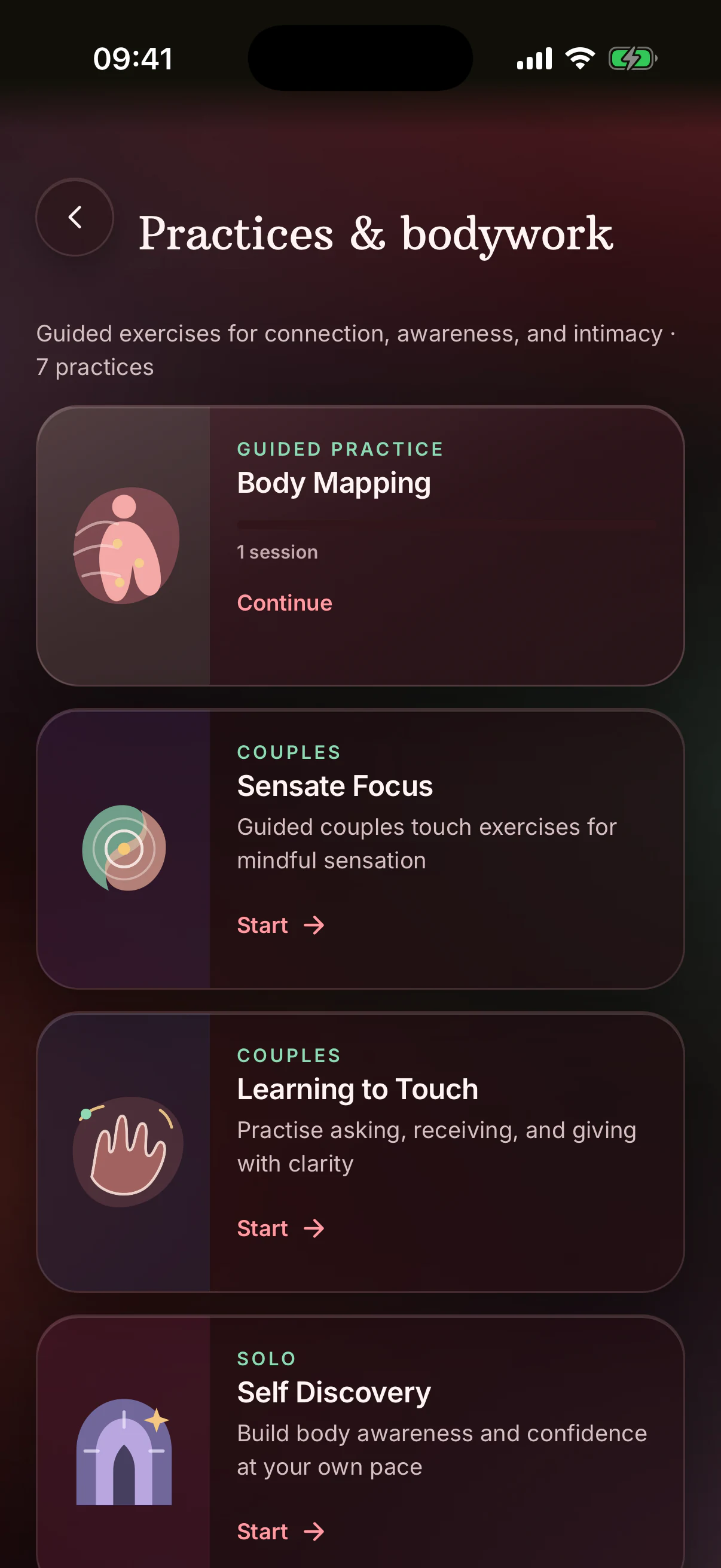
The guided work already in BeMoreKinky has been rebuilt too. Courses, guided relationship exercises, Session Guide, Body Mapping, Mindfulness and Shibari lessons now have clearer setup, session and debrief steps. Therapy progress follows your account between devices, with a route back into interrupted work.
Journal sharing: New Journal entries begin shared with your partner by default, and you can change the visible sharing choice while you write.
Your shared space
App Lock and clearer sharing choices
Partner quiz answers now stay sealed until comparison is ready. Journal's existing sharing choice is visible while you write, and Couple Reports include only the reflections shared with that partner.
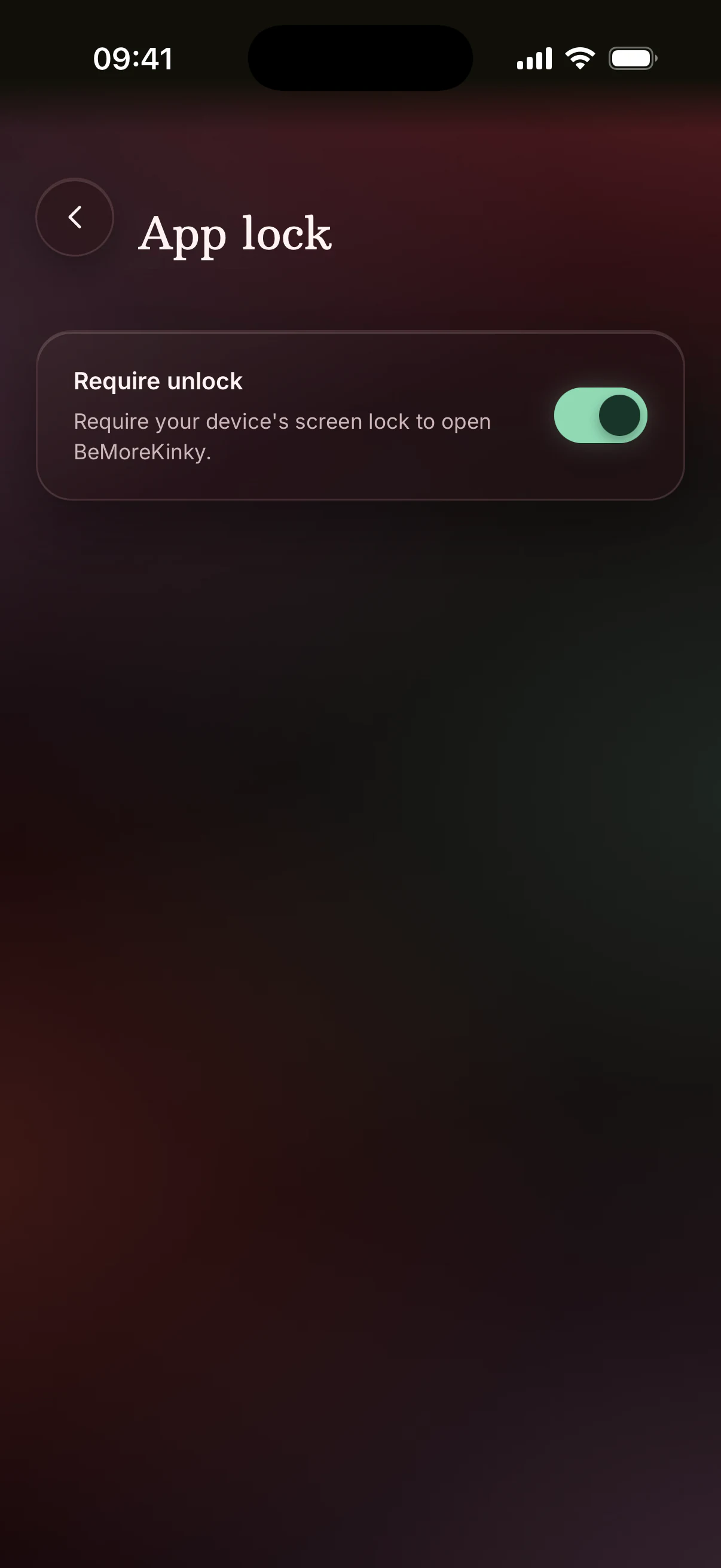
App Lock is new in this release. Turn it on to require your device's biometrics or passcode when you come back to BeMoreKinky, and the app hides its own preview in the recent-apps switcher while it is off screen.
The current grace period is one minute, so returning sooner does not request unlock again.
For more about how BeMoreKinky handles personal information, read our Privacy Policy.
Across the app
What works better now
Picking up where you left off
- Pairing updates both people promptly, even if one person missed the first confirmation.
- Returning to the app leaves unfinished work and partner updates in place.
- When you open a plan, quiz, habit, Journal entry or guided session from a link, Back takes you where you started.
Finding your way around
- Open something from Home and come back; your feed is where you left it.
- Daily suggestions update after midnight, travel or a timezone change without requiring a restart.
- Continue cards show your current progress and access.
- Search remembers the query, results and the screen that opened it.
- The keyboard, Android Back, large text and screen readers work more predictably in Search.
- If one section of Explore or Workshop needs to retry, the rest remains available.
- Category counts, completion and partner progress update more accurately.
- Pending title changes survive tab switches and offline periods.
- Back returns more consistently across tabs, sheets, games and linked screens.
Staying in sync as a couple
- A proposal draft survives interruptions with its activities, gear, date and note intact.
- Cancelled plans remain in History as part of your shared record.
- Partner quiz comparisons use the latest completed answers.
- Chat delivery and read status, reactions and unread counts update more consistently after reconnecting.
- Closing Chat, a match or a Signal returns you to the same place in Partner.
Keeping what you wrote, rated and completed
- Activity rating stays responsive through fast swipes and a poor connection.
- Custom activities give you a clear choice when a similar one already exists.
- Saved content remains visible in Toy Box, Daily Play and Habits while you are offline, with a direct retry when fresh information is needed.
- Shibari picks up from saved lesson progress and makes known lesson content available offline.
- Rewards, punishments and progress retain the selected tab or week while refreshing.
- Quiz answers and finished results stay on screen if the connection drops.
- Quiz retakes restore the right draft and use the latest result for later reflections.
- Journal drafts survive relaunches and interrupted saves.
- Journal photos display at their intended size, and long entries are easier to read and edit.
- Offline Journal entries resume saving when you reconnect.
- Therapy progress and debrief answers remain available across interrupted sessions.
- A Punishment Wheel session holds its result when you leave, return or reconnect.
Making the app easier to use
- A screen now tells you whether it is loading, offline, unavailable or simply has nothing to show, and gives you an appropriate next step.
- Forms, primary actions and the last item in a list remain reachable when the keyboard is open and on phones with larger screen cutouts.
- Long names, translated actions and large text reflow instead of clipping.
- Screen readers receive clearer descriptions for ratings, quiz charts, habits and relationship events.
- Reduced Motion replaces more decorative movement with shorter or static feedback.
- Language changes take effect without restarting the app.
- Dates, plurals and relationship language follow the selected language more consistently.